

Sarah Diyana
3 years of experience in smart home & HomeKit I want to share knowledge with anyone struggling to add incompatible devices to HomeKit. Experienced with many workarounds, write about the best methods.
How to Add Alexa to Apple HomeKit with the ATH Bridge
Yes, you can add Alexa to Apple HomeKit, but not directly. Amazon and Apple don't offer a native integration, so you need a bridge between the two. The simplest route is the ATH Bridge: a plug-and-play Homebridge hub that brings your Alexa-connected devices into the Apple Home app, where you can control them with Siri and use them in HomeKit automations. The best method you can use is the ATH Bridge! Let me explain. Alexa and Apple HomeKit are separate smart home ecosystems with no native inte
How to Add Tuya Devices to Apple HomeKit with the ATH Bridge
How to have a Tuya HomeKit? If you are using Tuya smart devices and want to connect them to Apple Home, you have probably searched for Tuya HomeKit support. Here is the reality, Tuya devices do not support Apple HomeKit natively. But the good news is there are reliable ways to make Tuya Apple HomeKit integration work. 💡Quick Answer: Most Tuya and Smart Life devices don't support Apple HomeKit natively. In 2026, there are four reliable ways to connect them: a Tuya Matter Gateway (easiest for ne
How to Create Vivint HomeKit Using ATH Bridge
If you're dreaming of a Vivint HomeKit integration, the ATH Bridge is a great choice for integrating Vivint with Apple HomeKit. In this comprehensive guide, we'll walk you through the steps to add any Vivint device to HomeKit. 💡Quick Answer: No. Vivint does not natively support Apple HomeKit. Vivint's ecosystem is closed and uses proprietary protocols. However, you can bridge your Vivint security panel, sensors, locks, and cameras into Apple Home using ATH Bridge (plug-and-play hardware) or Ho
Add Any Wyze Smart Devices to HomeKit with ATH Bridge
Integrating Wyze devices into your Apple HomeKit ecosystem is easier than ever with the ATH Bridge. While Wyze products like the Wyze Cam V3, Wyze Video Doorbell Pro, and others don’t come with native HomeKit compatibility, ATH Bridge provides a reliable solution to bring Wyze Apple HomeKit integration. 💡Quick Answer: No. Wyze devices do not natively support Apple HomeKit. Wyze has excluded direct HomeKit integration from its product roadmap. However, you can bridge Wyze cameras, plugs, and li
How to Add Govee Lights to Apple HomeKit Using ATH Bridge
If you own Govee Lights and are eager to incorporate them into your Apple HomeKit ecosystem, you’re in the right place. While Govee Lights are not natively compatible with Apple HomeKit, there’s a solution: ATH Bridge. This guide will walk you through the process of connecting Govee HomeKit using the ATH Bridge. This will enable you to enjoy a more streamlined and cohesive smart home experience. 💡Quick Answer: Some Govee devices now work natively with Apple HomeKit via Matter — no bridge need
How to Add Honeywell to Apple HomeKit with ATHBridge
Apple HomeKit integration allows you to control your thermostat directly from the Apple Home app, create automation routines, and manage your home's temperature using Siri. However, not all Honeywell thermostats support HomeKit, so it is important to verify compatibility before beginning the setup process. Can I Add Honeywell to Apple HomeKit? Yes, adding Honeywell to Apple HomeKit is possible! If you want a reliable Honeywell homekit setup, the most effective solution is using the ATHBri
How to Connect Twinkly Lights to Apple HomeKit
If you want to control your Twinkly lights from your iPhone, iPad, or with Siri, connecting them to Apple HomeKit is the easiest way to do it. This guide covers how to connect Twinkly lights in general, which Twinkly models work with HomeKit directly, how to bridge older models using ATH Bridge or Homebridge, and how Twinkly fits in if you already use Home Assistant. 💡Quick Answer: Twinkly Generation II lights connect to Apple HomeKit directly through the Twinkly app, with no extra hardware ne
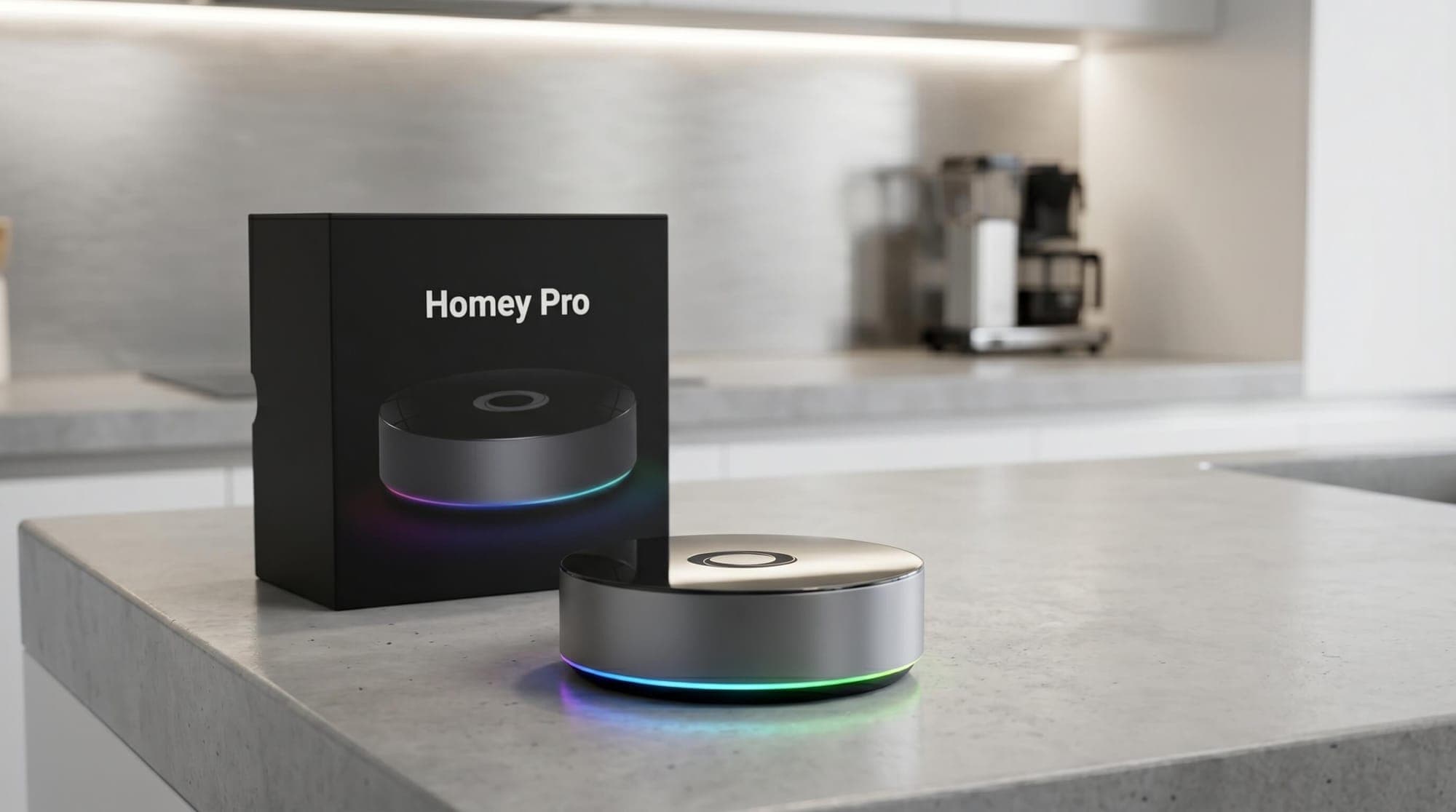
Homey Pro (2026) | Smart Hub for Home Automation
The 2023 Homey Pro is a powerful smart home hub designed for users who want to connect different devices in one place without the complexity of Home Assistant. It supports Zigbee, Z-Wave, Matter, Thread, and infrared, allowing fast performance and reliable control. With its flexible automation system (“Flows”), it helps you create smart routines while minimizing dependence on the cloud. Key Takeaways * High compatibility: Connects thousands of devices across Zigbee, Z-Wave, Matter, Thread, B
How to Add Any ADT Devices to HomeKit Using ATH Bridge
ADT security systems are reliable, but many ADT devices do not connect directly with Apple HomeKit. If you want ADT HomeKit control through the Apple Home app or Siri, ATH Bridge can help create the connection. Is ADT Actually HomeKit Compatible? ADT does not work natively with Apple HomeKit. Its smart home integrations mainly support platforms such as Amazon Alexa and Google Home, so ADT devices will not automatically appear in the Apple Home app. To bring supported ADT devices into Appl
How to Add Tuya ZigBee Hub to Apple HomeKit (Fast 2026 Guide)
The Tuya ZigBee Hub can connect to dozens of smart devices, but when it comes to Apple HomeKit, things get complicated. If you ended up switching between apps instead of enjoying a seamless smart home. This guide shows you how to fix that and bring everything under one system. Can You Add Tuya ZigBee Hub to Apple HomeKit? Tuya ZigBee hubs do not support Apple HomeKit natively, but you can connect them using a bridge like ATH Bridge. ATH Bridge Method There's a solution that bridges
How to Add iRobot Roomba to Apple HomeKit
Want to use your iRobot Roomba with Apple Home? While Roomba doesn’t offer native HomeKit support, there are still a few ways to connect it. Some newer models work through Matter, while older models can be added using Homebridge or ATH Bridge. 💡Quick Answer: The setup depends on your Roomba model. If it supports Matter, update the software and connect it to Apple Home through the iRobot Home app. For other models, you can use ATH Bridge or Homebridge with the Roomba plugin, then pair the bridg
How to Add Roborock to Apple Home (2026 Guide)
If you are trying to setup Roborock HomeKit integration, you are not alone. Roborock is one of the most advanced robot vacuum brands but when it comes to Apple Home, things can get confusing. Some users expect full Roborock Apple Home support, while others are unsure if it even works. 💡Quick answer: Yes, you can use Roborock with Apple Home, but the setup depends on your model. Newer Roborock vacuums with Matter can connect directly to Apple Home on iOS 18.4 or later. If your model doesn’t sup
ATH Bridge: Bridging Any Smart Home Devices to Apple HomeKit
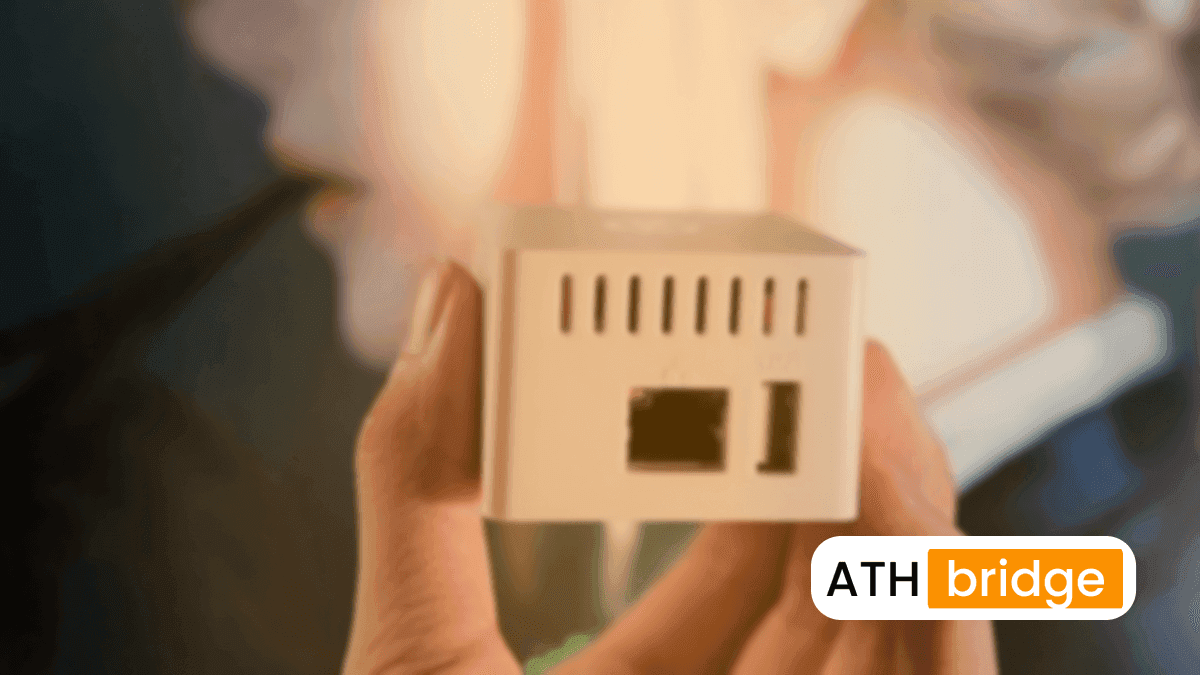
Smart home technology is growing fast. More and more people want an easy way to control all their devices in one place. Apple HomeKit is a popular choice for this. But not every device works with HomeKit right away. That’s where the ATH Bridge comes in. It helps you connect devices that aren’t made for HomeKit, so you can control everything from one app. What is ATH Bridge? Add To HomeKit Bridge is a small yet powerful device designed to bridge the compatibility gap between your non-HomeK
How to Add IKEA Motion Sensors to Apple HomeKit
IKEA motion sensors can work with Apple HomeKit in different ways, depending on the sensor you use. Zigbee models such as VALLHORN can connect through the DIRIGERA hub, while newer Matter over Thread sensors like MYGGSPRAY can connect more directly. ATH Bridge is another option for bringing IKEA devices into Apple Home alongside other smart home brands. 💡Quick Answer: IKEA motion sensors can work with Apple HomeKit in different ways. VALLHORN uses Zigbee and connects through the DIRIGERA hub,
How to Add Ring Doorbell to HomeKit Using ATH Bridge
Ring Doorbell HomeKit support was promised back in 2016 and never shipped. Ring is owned by Amazon, so its doorbells work with the Ring app and Alexa, not with Apple Home. With a bridge, though, your Ring Doorbell can show its live view in the home app, ring your HomePods, and appear on Apple's new HomeView display. 💡Quick Answer: Ring Doorbell does not work with Apple HomeKit natively. Add it with a Homebridge bridge, such as ATH Bridge, and the homebridge-ring plugin to get live view, doorbe
How to Add myQ Camera to Apple HomeKit Using ATH Bridge
The integration of myQ HomeKit ecosystem can significantly enhance your home automation experience. While myQ does not natively support Apple HomeKit, it is still possible to control myQ devices, such as garage door openers, within the HomeKit framework. In this article, we will explore myQ camera HomeKit integration using the AddToHomeKit Bridge. Why Choose ATH Bridge For myQ Camera Apple HomeKit Integration Before diving into the process of integrating a myQ camera Home Kit, it’s essent
How to Add Ring to Apple HomeKit (Alarm, Cameras and Sensors)
In the world of smart home technology, convenience and integration are key. If you own a Ring and want to manage it alongside your other smart devices using Apple HomeKit, you’ve come to the right place. A bridge fixes that, and with Apple HomeView arriving on November 13, more people are asking which Ring features will make it onto Apple's screen. This comprehensive guide will walk you through the process of adding your Ring HomeKit, enabling seamless control, automation, and peace of mind. �