
Does Reolink Work with Apple HomeKit? (2026 Answer)
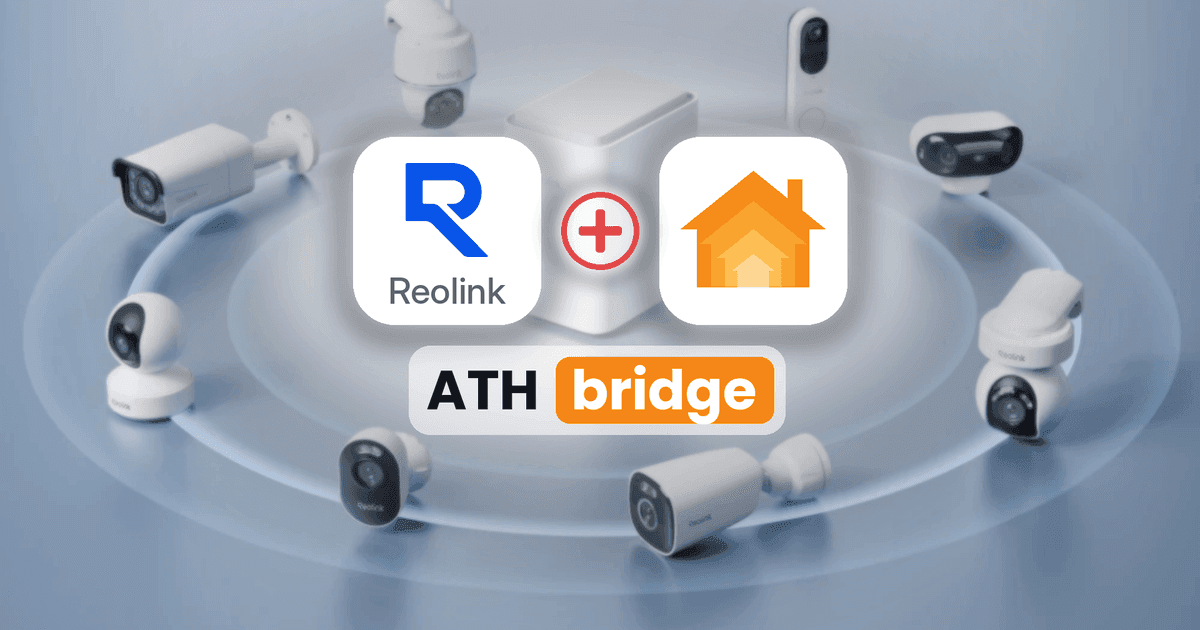
If you own a Reolink camera and want to control it through Apple Home, you may notice one important limitation: Reolink cameras do not support Apple HomeKit natively. This means you cannot directly add them to the Apple Home app.
Reolink cameras do not natively support Apple HomeKit. However, you can connect Reolink cameras to Apple Home using a HomeKit bridge such as ATHBridge. You need a camera that supports RTSP streaming and the Homebridge Camera FFmpeg plugin.
For users who want a simple, affordable, ready-to-use Homebridge solution, ATHBridge is our recommended option.
Can Reolink Cameras Work with Apple HomeKit?
Yes. You can use compatible Reolink cameras with Apple HomeKit, but you need a third-party bridge to connect them.
Reolink cameras are designed to work with the Reolink app and compatible smart home platforms. Apple HomeKit is not natively supported.
However, you can connect compatible Reolink cameras to Apple Home using a third-party bridge. Solutions such as ATHBridge, Homebridge, and Scrypted can make this integration possible.
Plug and Play Solution: ATH Bridge
ATHBridge is the easiest option for users who want to connect compatible Reolink cameras to Apple Home without building a Homebridge server from scratch. It's more affordable than other plug-and-play solutions.
It is a compact, pre-configured Homebridge server. The required software comes pre-installed, so you do not need to install an operating system or configure a server manually.
ATHBridge works as the bridge between your Reolink camera and Apple Home. You install the camera plugin, enter your camera's RTSP details, and pair ATHBridge with the Apple Home app.
Why choose ATH Bridge for Reolink HomeKit?
- Low setup effort
- Always-on dedicated hardware
- Uses the reliable homebridge-camera-ffmpeg plugin
- Works with Reolink RTSP streams
- Can also bridge other non-HomeKit brands later
It gives you live view in the Home app. It does not support HomeKit Secure Video (HKSV) recording.
Pros
- Homebridge software comes pre-installed
- No need to build a Raspberry Pi server from scratch
- Simple web-based dashboard
- Supports thousands of Homebridge plugins
- Works locally on your home network
- Can connect multiple compatible non-HomeKit brands
- Allows supported camera live views through Apple Home
Cons
- It is a paid hardware solution
- You need to configure your Reolink camera's RTSP stream
- Camera compatibility depends on RTSP support
- The standard Camera FFmpeg plugin does not provide HomeKit Secure Video recording
Other Options to add Reolink Devices to HomeKit
A bridge solves this problem by connecting your camera's video stream to Apple Home. Some available solutions include:
- Homebridge
- Scrypted
- Home Assistant
For this integration, RTSP (Real-Time Streaming Protocol) is particularly important. It allows compatible Reolink cameras to share their video streams with third-party software.
Once connected, you can view supported camera feeds through the Apple Home app.
| Method | Best for | Cost | Setup difficulty |
|---|---|---|---|
| ATH Bridge | Beginners who want a ready-to-use solution | One-time hardware cost | Easy |
| Scrypted | Users who need HomeKit Secure Video | Free software | Moderate |
| Homebridge | Technical users who prefer DIY | Free software | Moderate |
| Home Assistant | Existing Home Assistant users | Free software | Moderate to hard |
Scrypted
Scrypted is an open-source camera integration platform that connects compatible security cameras to Apple Home.
It offers a dedicated Reolink plugin and supports HomeKit Secure Video, making it a useful option for users who want video recording and additional camera features.
However, Scrypted requires more technical configuration than a ready-to-use Homebridge device.
You typically need:
- An always-on computer, server, or NAS.
- A compatible Reolink camera.
- Scrypted installed and configured.
- The Reolink and HomeKit plugins.
- An Apple TV or HomePod and an iCloud+ subscription for HomeKit Secure Video recording.
Scrypted is a good alternative if HomeKit Secure Video is your main requirement.
Homebridge
Homebridge is a free, open-source platform that connects non-HomeKit devices to Apple Home.
For Reolink cameras, you can use the homebridge-camera-ffmpeg plugin to access compatible RTSP video streams.
You need:
- A Raspberry Pi, Mac, Windows PC, Linux computer, or NAS.
- Homebridge installed and running.
- A compatible Reolink camera with RTSP support.
- The Camera FFmpeg plugin.
- Basic knowledge of Homebridge configuration.
Homebridge provides flexibility, but you need to install, configure, and maintain the server yourself.
HomeAssistant
Home Assistant is another option for connecting Reolink cameras to Apple Home.
It offers an official Reolink integration that can discover compatible cameras and NVRs on your local network. You can then use the HomeKit Bridge integration to expose supported camera entities to Apple Home.
This option is particularly useful if you already use Home Assistant to manage your smart home.
However, the setup requires additional configuration and a good understanding of Home Assistant integrations.
Find more guides to add your devices t HomeKit:
How to add Shelly Devices to HomeKit
How to add Nest Thermostat to Apple HomeKit
How to Add Reolink Cameras to Apple HomeKit Using ATHBridge
ATHBridge is our preferred method because Homebridge is already installed and configured. You only need to connect the device, install the camera plugin, and pair it with Apple Home.
Before starting, make sure your Reolink camera supports RTSP streaming.
- Insert the pre-flashed SD card into your ATH Bridge device.
- The Homebridge software is already installed, so you do not need to configure the operating system manually.
- Connect ATH Bridge to your home router using an Ethernet cable and power it on.
- Make sure your Reolink camera and ATH Bridge are connected to the same local network.
- Open your router's administration page and find the IP address assigned to ATH Bridge.
- You will use this address to access the Homebridge dashboard.
- Enter the ATH Bridge IP address into your web browser to open the Homebridge dashboard.
- Log in using your configured dashboard credentials.
- Open your Reolink camera settings through the Reolink app or client.
- Navigate to Settings → Network → Advanced → Port Settings.
- Enable RTSP if it is available for your camera. The default RTSP port is 554.
- Assign a fixed IP address to your camera through your router to help maintain a stable connection.
- Open the ATH Bridge dashboard and navigate to the Plugins section.
- Search for
homebridge-camera-ffmpeg. - Select the plugin and install it.
- This plugin allows Homebridge to access compatible camera streams and expose them to Apple Home.
- Open the plugin configuration and add your Reolink camera details.
- A typical Reolink RTSP stream URL follows this format:
rtsp://USERNAME:PASSWORD@CAMERA-IP:554/h264Preview_01_main - Replace the example values with your camera's actual details:
- Username: Your local Reolink camera username.
- Password: Your local Reolink camera password.
- Camera IP: The camera's local network IP address.
- Port: 554.
- Stream: Your camera's supported RTSP stream.
Your configured Reolink camera should now appear in Apple Home.
You can open the camera accessory to check its live video feed.
That's it! You have successfully connected a compatible Reolink camera to Apple Home using ATHBridge.
Why Don't Reolink Cameras Support Apple HomeKit Natively?
Reolink and Apple use different smart home ecosystems.
Reolink cameras are designed to communicate through Reolink's own applications and supported third-party protocols, such as RTSP and ONVIF.
Apple HomeKit uses its own accessory communication and certification requirements. Reolink has not implemented native HomeKit support for its cameras.
This means an ordinary Reolink camera cannot communicate directly with the Apple Home app.
A third-party bridge solves this problem by connecting the camera's supported video stream to Apple's ecosystem.
The connection generally works like this:
- Your Reolink camera provides a video stream through RTSP.
- The Homebridge Camera FFmpeg plugin reads the stream.
- ATHBridge processes the camera feed and exposes it as a supported HomeKit accessory.
- Apple Home displays the camera's live feed.
This allows you to use compatible Reolink cameras alongside your other Apple Home accessories without replacing your existing camera system.
Which Reolink HomeKit Method Should You Choose?
The best method depends on your requirements and existing smart home setup.
Choose ATHBridge if:
- You want a ready-to-use Homebridge server.
- You do not want to build a Raspberry Pi server.
- You prefer a simple web-based dashboard.
- You want to connect multiple non-HomeKit devices.
- You want a dedicated device that stays on your home network.
- You are new to Homebridge.
- You want to use Apple Home and Siri with supported camera features.
For most beginners who want an easy Reolink Apple Home integration, we recommend ATHBridge.
Choose Scrypted if:
- You want HomeKit Secure Video recording.
- You want advanced camera integrations.
- You are comfortable configuring a dedicated camera server.
- You have an Apple TV or HomePod and an iCloud+ subscription.
Choose Homebridge if:
- You prefer a free, open-source solution.
- You already own a computer or Raspberry Pi.
- You are comfortable installing and maintaining plugins.
- You want to configure your own smart home server.
Choose Home Assistant if:
- You already use Home Assistant.
- You want to manage multiple smart home systems.
- You prefer advanced automation and device management.
- You are comfortable configuring integrations.
Final Thoughts about Reolink HomeKit Integration
Reolink cameras do not natively support Apple HomeKit, but you do not need to replace your existing cameras to use them with Apple's smart home ecosystem.
A compatible bridge can bring supported Reolink camera feeds into the Apple Home app. Once connected, you can view your cameras alongside your other smart home accessories.
For users who want a simple and ready-to-use solution, ATHBridge is our recommended option. It provides a pre-configured Homebridge server, a web-based dashboard, and support for a wide range of plugins.
Scrypted is a useful alternative if you specifically need HomeKit Secure Video. Homebridge and Home Assistant are also good options for users who prefer to manage their own smart home servers.
Before choosing a method, always check your Reolink camera's RTSP compatibility. This will help you avoid compatibility issues and create a more reliable Apple Home integration.